Project List
This screen displays all the available Infinity projects.
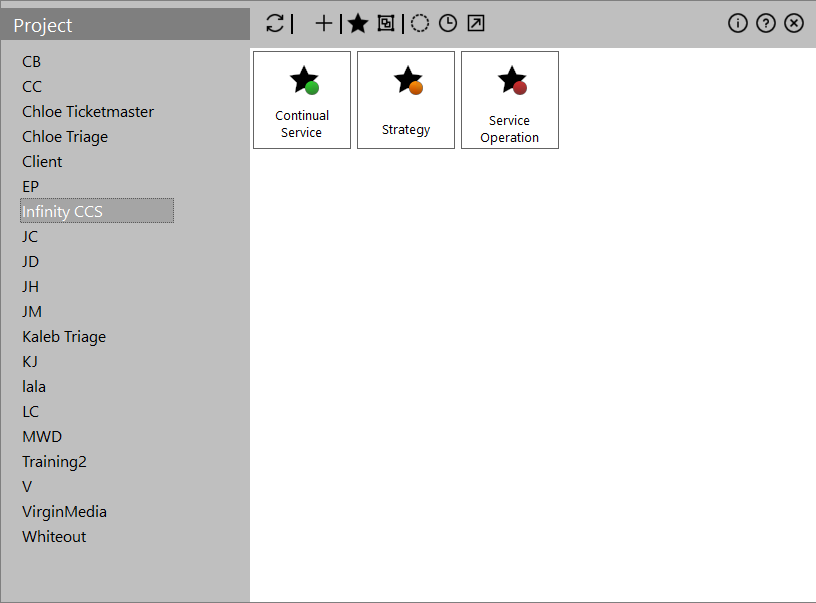
The left panel displays a list of clients or project groups. Clicking a client displays the related projects in the 'Results' panel on the right.
Right-clicking on a project group shows the following actions:
 Project Group context actions
| Action | Description |
|---|---|
| Add new Group |
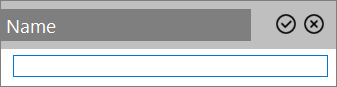
Define a name for a new group to the list.
|
| Edit Group |
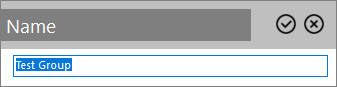
Modify the name of an existing group.
|
| Delete Group |
Removes a project group (with confirmation). |
Results panel
This panel displays the existing projects for the selected client or project group. Each project is represented by a star with a coloured bullet which hints the end date of the validity period:
| Colour | Icon | Meaning |
|---|---|---|
| Green |

|
The project's end date lays more than one month into the future |
| Orange |

|
The project ends within the next month |
| Red |

|
The project has already ended |
Double-clicking a project navigates to that specific project. The following actions are also available:
| Action | Description |
|---|---|
| Add (click toolbar icon or right-click on the blank panel space) | Allows you to Add New Project |
| Edit (right-click project) | Allows you to edit the parameters of the specific project |
| Delete (right-click project) | Removes the project from the system (with confirmation) |
Options
The following options exist:
| Option | Description |
|---|---|

|
Display Clients on the left panel |

|
Display Project Groups on the left panel |

|
When checked the inactive projects are displayed to the 'Results' panel |

|
When checked the Timesheet (type) projects are displayed to the 'Results' panel |

|
When checked the Custom (type) projects of are displayed to the 'Results' panel |